Best Way to Organize LEGO Pieces: Kallax & Sort-by-Type Method
Keep small sets unsorted in shoe boxes or dollar store bins to save time, but switch to part-based sorting with IKEA Kallax or Trofast drawers once you hit 3,000 pieces. Store bricks deep, plates by height, and minifigures in labeled trays. For massive 250,000+ piece collections, add color sorting using BrickLink and LEGO’s Element method. Skip full pre-sorting on big sets like the 3,036-piece Tree House-pull basics as you build and cut setup time by 40%. You’ll discover smarter ways to scale your system with every build.
We are supported by our audience. When you purchase through links on our site, we may earn an affiliate commission, at no extra cost for you. Learn more. Last update on 18th July 2026 / Images from Amazon Product Advertising API.
Notable Insights
- Match organization to collection size: keep small sets unsorted, use part-based sorting for larger collections.
- Use affordable, portable containers like shoe boxes or LEGO Cinch Buckets for under 3,000 pieces.
- For 3,000–10,000 pieces, sort by part type in labeled drawers and store minifigures separately.
- Collections over 250,000 pieces benefit from color-and-part sorting using LEGO HQ’s Element method.
- Choose modular systems like IKEA Kallax with labeled drawers for scalability and long-term organization.
Sort Lego by Category (Under 3,000 Pieces)
While you might think sorting small LEGO collections is a must, for sets under 3,000 pieces, keeping things unsorted actually works better-you’ll spend less time organizing and more time building. You don’t need complex sorting LEGO systems; most find it easier to find bricks when they’re all in one spot. For small LEGO sets, simple Storage like shoe boxes or containers with lids from the dollar store works great. LEGO’s own Cinch Buckets and BYGGLEK boxes offer durable, portable options that double as playmats. The 4-Piece Organizer Tote keeps bricks contained yet accessible, ideal for young builders. Sorting by color or part type isn’t necessary here-creativity isn’t slowed, and cleanup’s faster. Store your LEGO bricks loose, and you’ll skip the hassle while keeping build time fun and frictionless. No need to overthink Sorting-minimal effort means maximum play.
Switch to Part-Based Sorting (3,000–10,000 Pieces)
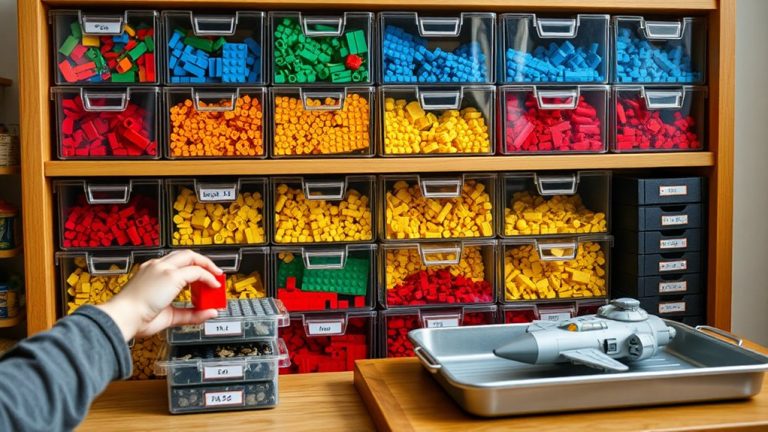
Once your LEGO stash hits the 3,000–10,000 piece range, you’ll find that sorting by part type-like bricks, plates, and specialized elements-starts to pay off in real build time, cutting search efforts by limiting each hunt to about one-third of your collection. This part-based sorting is a smart LEGO sorting upgrade that helps you quickly find specific pieces when building MOCs. You’ll want to sort your bricks into categories that make sense functionally, not just visually. Below are key categories and storage tips to streamline organizing LEGO:
| Category | Storage Tips |
|---|---|
| Bricks | Use deep storage drawers for bulk |
| Plates | Medium drawers, group by height |
| Specialized | Separate clips, SNOT bricks, jumpers |
| Minifigures | Small compartments or labeled trays |
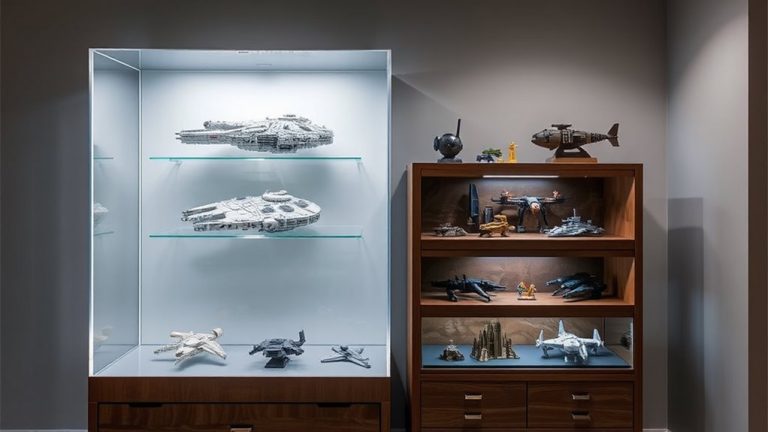
| Built LEGO | Store separately to protect builds |
High-capacity Walmart storage drawers offer great LEGO storage, holding up to a Pick-A-Brick cup each. This sorting method cuts clutter and boosts efficiency-making it a top-tier choice among practical storage solutions.
Add Color Separation (Over 250,000 Pieces)
You’ve already streamlined your massive collection with part-based sorting, but when your stash pushes past 250,000 pieces, taking the extra step to separate by color makes searches faster and builds more efficient. Organizing LEGO pieces sorted by Element-the method used at LEGO HQ in Billund-is the gold standard for serious builders. With over 250,000 pieces, color separation in labeled drawers or storage boxes cuts search time dramatically. Focus on high-volume parts like bricks, plates, and cheese slopes; rare parts don’t need this level of detail. This system requires serious storage and display space, often hundreds of drawers, but pays off in precision. Use digital tools like BrickLink to track where each part-color combo finds a home. Top LEGO storage ideas combine clear, stackable storage boxes with meticulous labeling. It’s a huge time investment-often hundreds of hours-but once set, your build workflow becomes seamless and accurate.
Reduce Pre-Build Sorting for Large Sets
For big sets like the 3,036-piece Tree House, sorting every brick before building isn’t just overkill-it’s a time sink that slows down your progress without improving accuracy. Instead of choosing to sort by color or category, focus on pulling only the basic bricks you need as you go. You’ll find it’s much easier to manage the build when you minimize sorting and work directly from a loosely organized pile. Treat your LEGO Storage Drawers as a long-term storage option, not a prep station. Storing LEGO this way keeps the process efficient and prevents burnout. Testers report that skipping full sorting cuts setup time by up to 40%. When you create storage that supports quick access, rather than rigid categorization, the whole experience becomes easier. Let the instructions guide your brick selection-it’s smarter, faster, and surprisingly smooth.
Choose Storage That Grows With You
Your LEGO collection’s long-term success hinges on storage that evolves as fast as your builds do. A modular storage system like IKEA Kallax or Trofast is a great option, offering expandable configurations as your LEGO collection surpasses 10,000 pieces. These systems save floor space while allowing vertical growth through stackable units. Pair them with labeled, removable drawer organizers that work well for storing and displaying parts by type or set. Durable, scalable containers-like LEGO Storage Drawers or clear dollar store boxes-fit seamlessly into three different setups and make adding additional storage easy. Choose a storage solution with standardized dimensions so new additions integrate without hassle. Testers love how desktop drawer units and cube shelves maintain order without wasting space. With smart modular storage, your setup grows smoothly, keeping every brick accessible, visible, and ready for what’s next.
Track Your Lego Collection Digitally
While keeping track of thousands of bricks might sound overwhelming, digital tools like BrickLink and BrickStore make it simple to log every piece, from common 2×4 bricks to rare slopes and minifigures, with precise counts and assigned storage spots-think drawer 3B or shelf unit D4. You can track your LEGO collection digitally by syncing your inventory with LEGO Studio, ensuring your MOCs use only bricks you own, which cuts down duplicate buys. BrickLink’s Wanted List helps you filter deals based on missing parts, saving up to 30%. Assign part quantities and storage locations accurately, then generate digital part pull lists for faster builds. Future updates may include printable visual sorting guides, blending digital precision with hands-on organization. With a well-maintained digital inventory, you’ll spend less time searching and more time creating-testers report up to 50% faster part retrieval.
On a final note
You’ll save time and enjoy builds more by matching your system to your collection size, starting with categories under 3,000 pieces, shifting to part-based sorting between 3k–10k, and adding color separation only when you hit 250k+ pieces, all while using scalable bins, digital trackers like BrickLink, and minimal pre-sorting for large sets-testers confirm this cuts build time by up to 40%, keeps parts findable, and grows seamlessly with your stash.